#include <vector>#include <boost/shared_ptr.hpp>#include <gdk/gdk.h>#include <gtk/gtk.h>#include <cairo.h>#include <scroom/interface.hh>#include <scroom/presentationinterface.hh>#include <scroom/rectangle.hh>#include <scroom/scroominterface.hh>#include <scroom/stuff.hh>#include <scroom/tile.hh>#include <scroom/unused.hh>#include <scroom/viewinterface.hh>

Go to the source code of this file.
Classes | |
| class | LayerOperations |
| class | SourcePresentation |
| class | TiledBitmapInterface |
Typedefs | |
| using | LayerSpec = std::vector< LayerOperations::Ptr > |
Enumerations | |
| enum | TileState { TILE_UNINITIALIZED, TILE_UNLOADED, TILE_LOADED, TILE_OUT_OF_BOUNDS } |
Functions | |
| TiledBitmapInterface::Ptr | createTiledBitmap (int bitmapWidth, int bitmapHeight, LayerSpec const &ls) |
Typedef Documentation
◆ LayerSpec
| using LayerSpec = std::vector<LayerOperations::Ptr> |
Set of LayerOperations, that define how to draw and pre-scale a TiledBitmap
While creating a TiledBitmap, a number of layers will be created. The base layer will contain raw bitmap data. Each subsequent layer is reduced by a factor 8 with respect to the previous. For each Layer, a LayerOperations object should be provided. If the TiledBitmap creates more layers than there are LayerOperations objects in the LayerSpec, then the last LayerOperations object will be used for all remaining layers.
Enumeration Type Documentation
◆ TileState
| enum TileState |
Represent the state of one of the tiles that make up a layer in the bitmap.
| Enumerator | |
|---|---|
| TILE_UNINITIALIZED | Tile does not yet contain any data |
| TILE_UNLOADED | Tile does contain data, but has been swapped out |
| TILE_LOADED | Tile does contain data, and data is in memory |
| TILE_OUT_OF_BOUNDS | Tile is located outside the bitmap area |
Function Documentation
◆ createTiledBitmap()
| TiledBitmapInterface::Ptr createTiledBitmap | ( | int | bitmapWidth, |
| int | bitmapHeight, | ||
| LayerSpec const & | ls | ||
| ) |
Create a tiled bitmap.
In a TiledBitmap, your bitmap is distributed over tiles, that each contain a square portion of your bitmap. These tiles will be swapped in or out as required, depending on the amount of available memory. This way, you can "load" bitmaps that are larger than your amount of memory would normally allow.
Of course, when zooming out, you'd still need all the data in your bitmap, in order to show the scaled down version. To avoid this, createTiledBitmap() creates pre-scaled versions of your bitmap, that are reduced by a factor 8. Such a pre-scaled version is called a Layer. If your bitmap gets very large, several pre-scaled versions are created, reduced by a factor 8, 64, 512, 4096, etc.
So, to summarize, createTiledBitmap() creates several layers of your bitmap, at zoom levels 1:1, 1:8, 1:64, etc. Each layer is then divided into tiles, such that only the relevant part can be loaded into memory.
Of course createTiledBitmap() doesn't know anything about how you choose to represent your bitmap data, so you'll have to specify (by implementing LayerOperations) how to draw portions of your bitmap at given zoom levels, and how to pre-scale your bitmap.
- Note
- When calling createTiledBitmap(), all the internal data structures will be set up. You still have to fill your bitmap with data, for example by calling TiledBitmapInterface::setSource()
- Parameters
-
bitmapWidth the width of the bitmap bitmapHeight the height of the bitmap ls LayerOperations objects, specifying how to draw (portions of) your bitmap at given zoom levels
- Returns
- A pointer to a newly created TiledBitmapInterface. You can use this pointer to manipulate your bitmap.
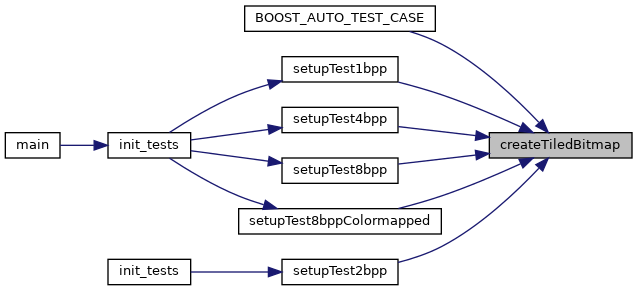
Referenced by BOOST_AUTO_TEST_CASE(), setupTest1bpp(), setupTest2bpp(), setupTest4bpp(), setupTest8bpp(), and setupTest8bppColormapped().